Your orders service calls the payment service. The payment team renames a response field and merges. Every unit test stays green and the integration suite reports the failure later. A study in the Journal of Systems and Software names poor communication of API changes as a core challenge of microservice teams. This contract testing vs integration testing guide compares both testing approaches for API and microservices teams and shows where both results belong. Keep on reading to discover key differences between contract testing and integration testing.
What Is the Difference: Contract Testing vs Integration Testing?
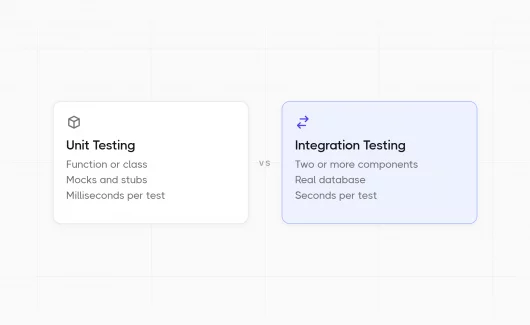
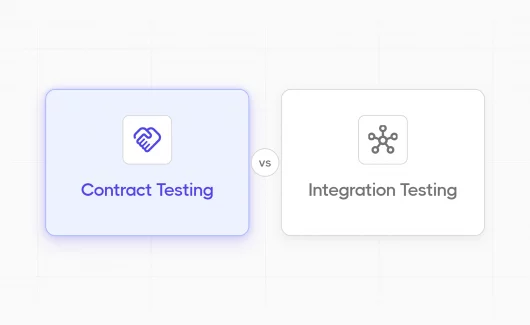
Contract testing checks that a consumer and a provider agree on the request and response format, with each side tested alone. Integration testing runs multiple components together with real dependencies. The two test types answer different questions:
- A contract test asks whether the payment service sends the fields that the orders service reads.
- An integration test asks whether the orders service and the payment service work together with the database in a real flow.
You need both answers before a release, and the table shows how contract testing compares to integration testing.
| Aspect | Contract testing | Integration testing |
|---|---|---|
| Scope | The agreement of a consumer and a provider | Several components in a real flow |
| What runs | Each side alone, with a mock of the other side | All components together |
| Dependencies | A contract file replaces the other service | Real database and real services |
| Speed | Seconds, like a unit suite | Minutes, with a running environment |
| Who writes it | The consumer team and the provider team | Developers and QA engineers |
| A failure shows | A changed field or a changed status code | Wrong data or a timeout |
| Environment | A single service and a mock | A full test environment |
| CI stage | Every pull request of both services | After the merge and on a schedule |
The contract test vs integration test question has a short answer: a contract test protects the API agreement, and an integration test protects the real behavior in a test environment that mirrors production. The next sections explain each way of testing and show which failures each type catches.
What Is Contract Testing?
Contract testing is a testing approach that checks that a service consumer and a service provider agree on their API. The contract is a predefined file with the expected request and response pairs. The consumer is the API client that sends requests, for example the orders service. The provider is the service that answers, for example the payment service. The Pact documentation describes contract testing as “testing an integration point by checking each application in isolation”.
Each side works in isolation and reads the same contract file, so independent services can deploy at different times and development teams avoid compatibility issues at release time. Automated contract testing works well for REST APIs, and contract testing can also cover message queues. The contract covers only the fields the consumer reads. The provider can add new fields, and the contract test stays green. The provider renames or removes a field the consumer reads, and the contract test fails in the pull request of the provider. This early detection prevents integration failures that an end-to-end test would report days later.
Consumer-Driven Contract Testing With Pact
Consumer driven contract testing starts on the consumer side. The consumer team writes a test that describes the request it sends and the response it expects. The test runs with a mock provider that simulates the live API and writes the consumer-driven contract file. The provider team then replays the contract with the real provider and verifies every interaction. Pact is the most common contract testing tool for this workflow. Ian Robinson described the pattern in Consumer-Driven Contracts, and the Microsoft Engineering Playbook documents it for current microservice teams. This direction fits teams where the consumer knows what it needs and the provider serves several consumers. The provider learns which fields each consumer reads and which fields it can change.
Provider-Driven and Bi-Directional Contracts
Provider-driven contract testing starts with the API specification. The provider publishes an OpenAPI document, and tools check the consumer calls with this document, often with a stub generated from the specification. Bi-directional contract testing compares a consumer contract with a provider specification and reports the mismatches. You can choose this contract testing solution when the provider team keeps a current OpenAPI document and the consumer teams prefer to write less test code.
A Short Example in Plain Words
The orders service expects this response from the payment service:
{ "status": "paid", "amount": 1999 }The consumer test in the orders repository sends a request to a mock payment service and records this expectation in the contract file. The provider test in the payment repository loads the contract and calls the real payment code. It compares the response with the recorded fields and confirms that the service interactions match. The payment team renames status to state, and the provider test fails in the same pull request. The orders team sees the change before the merge.
What Is Integration Testing in Software Testing?
Integration testing checks that several real components or systems work together. The components can be a service and its database, or two services in a Docker network. Our guide on unit testing vs integration testing explains the difference from a unit test, and the system integration testing article covers the level where whole systems meet.
An integration test uses real dependencies. Each dependency runs for real: the test starts a database in a container and writes an order. It then calls the payment service and reads the stored result, so it validates the data flows from the API call to the database. This setup is slower than a contract test, and it catches a different class of failure. It shows wrong data in the database or a timeout under load. It also shows a broken auth token for service-to-service calls. Integration testing catches the failures that appear only when real components communicate. End-to-end integration tests extend the same check through the user interface, and these end-to-end tests form the slowest layer of the pyramid.
Contract Test vs Integration Test: Which Failures Do They Catch?
A contract test catches a changed field or a changed status code. An integration test catches wrong data and timeouts in calls to real services. The question from QA forums sounds the same every year: is a single test type enough? The answer depends on the failure you want to catch. The table lists common failures in a service-to-service call and shows which test reports each failure.
| Failure | Contract test | Integration test |
|---|---|---|
| The provider renames a response field | Catches it in the pull request | Catches it after deployment to the test environment |
| The provider adds a required request field | Catches it | Catches it |
| The provider changes a status code | Catches it | Catches it |
| The call stores a wrong value in the database | Misses it | Catches it |
| The provider answers slowly under load | Misses it | Catches it with a timeout assertion |
| The auth token fails for service-to-service calls | Misses it | Catches it |
| The provider is unavailable | Misses it, by design | Catches it |
| Two calls run in the wrong order | Misses it | Catches it |
A contract test catches every failure in the API agreement and reports it early, in the pull request of the team that made the change. An integration test catches the failures that appear only when real components communicate. Contract testing ensures that the API interactions stay compatible, and integration testing confirms the result of those interactions. You need the contract test for fast feedback and the integration test for real behavior.
When to Use Contract Testing and Integration Testing in the Test Pyramid
Teams with a monolith and a single database can use integration tests alone. Teams with microservices architectures that deploy at different times need contract tests too. Contract tests sit above unit tests in the test pyramid and below the integration layer. The sections below give the signals for each choice and a CI layout that runs both.
Use Contract Tests When
You can add contract tests when these signals appear in your system:
- Two teams deploy their services on different schedules.
- Several services call each other, and a change in a provider breaks consumers in a different repository.
- The provider lacks a test environment for consumers.
- The API changes often, and the team wants early detection in the pull request of the provider.
- Development teams in different repositories need a shared testing methodology for API changes.
Contract testing fits microservices testing best. Every microservice has consumers in other repositories, and a full integration run for every pull request takes too long. Contract testing helps the teams keep short release cycles, because each service verifies its contracts alone.
Use Integration Tests When
You need integration tests when the failure lives outside the API agreement:
- A database or a message queue is part of the flow.
- A flow crosses more than two services and the result depends on the order of calls.
- The team needs a release gate before each deployment to production.
- The provider runs in a test environment, and the consumer can call it.
Our API testing strategy guide shows how to organize these layers in a CI/CD pipeline, and the testing pyramid article explains where each layer sits in the software development lifecycle (SDLC).
Run Both in CI
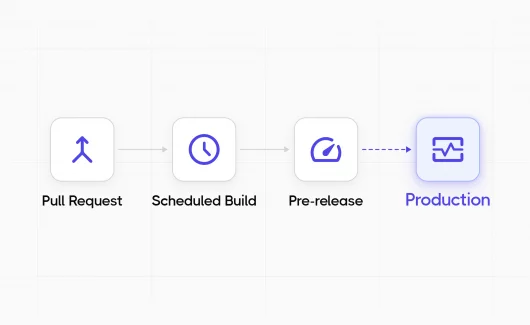
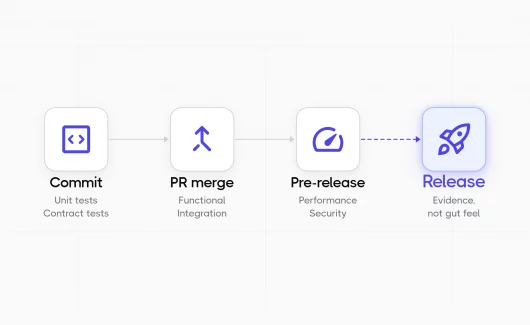
Most DevOps teams run both suites and place them at different pipeline stages. The contract suite runs on every pull request of the consumer and of the provider, because it needs only a mock. The integration suite runs after the merge and on a schedule, because it needs a running environment. Both suites automate the check at different points of the development process. The QA team then reviews the results and skips the manual runs.
| Pipeline stage | Contract tests | Integration tests |
|---|---|---|
| Pull request | Consumer tests and provider verification | A small smoke subset or none |
| Merge to main | Provider verification with all current contracts | Full suite in the test environment |
| Scheduled run | Verification with contracts from every consumer | Full suite plus slow scenarios |
| Pre-release | Check that every consumer contract succeeds with the release candidate | Full suite as the release gate |
API Testing Tools for Contract Testing and Integration Testing
The tools differ by side. Contract testing tools create and verify the contract file. Integration testing tools start real dependencies and call them.
| Tool | Side | Use |
|---|---|---|
| Pact | Contract | Consumer-driven contracts with libraries for most common languages |
| Spring Cloud Contract | Contract | Contracts for Java and Spring services |
| Specmatic | Contract | Contract tests from an OpenAPI document |
| Dredd | Contract | Checks an API implementation with its OpenAPI document |
| Testcontainers | Integration | Starts databases and services in Docker for a test |
| REST Assured | Integration | Calls a running API from Java tests |
| Playwright API testing | Integration | Calls a running API from JavaScript tests |
| Postman and Newman | Integration | Collection runs with JUnit XML output |
Our overview of integration testing tools compares the integration side in detail. API contract testing tools stay small by design. The contract file does the main work, and the tool verifies it on both sides. The tool choice follows the language of each service, and the testing process stays the same.
How Testomat.io Fits Contract Testing and Integration Testing for QA Teams
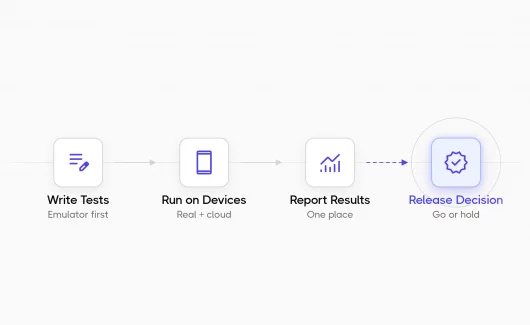
The results of contract tests live in the consumer repository and in the provider repository. The results of integration tests live in a separate pipeline. A QA lead opens several CI logs before a release and sees green or red icons, separate from the test cases. Testomat.io collects both suites in a single project and groups them by test layer with labels, so the release decision uses a single view.
You can connect both suites in this way:
- JUnit XML import. Contract tests run inside a normal test runner, for example Pact-JVM inside JUnit, and the runner writes a JUnit XML report. After the run, you send the report to Testomat.io with the
report-xmlcommand. The JUnit XML format support page lists the covered runners for Java, Python, PHP and Ruby. - Labels at import. When you import tests with check-tests or check-cucumber, you can attach labels in bulk with the
TESTOMATIO_LABELSvariable, for examplecontractfor the Pact-JS tests in Jest. For Java suites such as Pact-JVM and Testcontainers, you can apply thecontractandintegrationlabels with Bulk Edit after import. The labels group and filter the tests from the first run. - Automation Coverage by label. The Automation Coverage widget accepts a TQL query. You can filter it by the
contractorintegrationlabel and see the automation coverage of each layer. - Run results by label. The Run Report Overview groups results by suites, tags and labels, and the test report analytics dashboard filters by label. Public API v2 returns the same breakdown, with passed, failed, skipped and pending counts for each label, so a release dashboard can pull it directly. A QA lead sees which layer produced the failures of the last run.
- Custom Charts. A Testomat Query Language query renders as a chart with a pyramid view, so the team sees how many tests sit at the contract layer and how many at the integration layer.
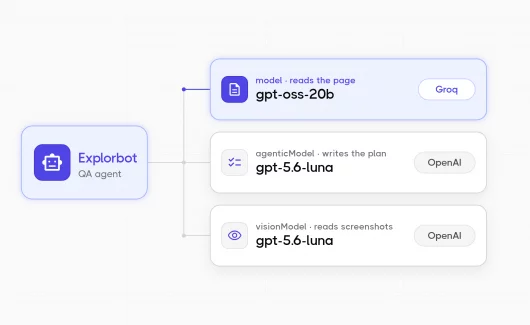
- Explorbot as an exploratory layer. Explorbot takes an OpenAPI spec, explores the API endpoints and tries request combinations that a scripted suite skips. You can run it after the contract and integration stages, and its results land in the same project.
Most test management tools show manual test cases only, while the automated results stay in CI logs. Testomat.io collects the manual cases and the automated runs into a single place, so the team makes the release decision from a single view.
Common Mistakes When You Implement Contract Testing
Teams meet the same problems when they start contract testing:
- The contract becomes a full API specification. The contract covers only the fields the consumer reads. A contract with every field breaks on every small provider change.
- The provider verifies an old contract version. The broker or the git repository needs the current contract, and the provider pipeline needs to fetch it before verification.
- Contract tests replace every integration test. Data bugs and timeouts stay hidden. The failure table above shows the gap.
- A single team keeps the contracts. The consumer team writes the contract, and the provider team runs the verification. Both pipelines need access to the contract file.
- The contract test runs only on the consumer side. The provider verification is the half that catches the breaking change.
Bottom Line
Contract tests check the API agreement of a consumer and a provider. They run fast and need only a mock. Integration tests check real behavior with real dependencies. Teams with several services need both in their software testing strategy, and both results belong in a single report where a QA lead can read the release status by layer. You can connect your contract suite and your integration suite to Testomat.io with a JUnit XML import and label both at import. The run analytics then show the layers side by side. Start free with Testomat.io.